AV & Technology
How to Hang a TV: Height, Studs, and Mounting Done Right
Key Takeaways
- Mount height should put the screen’s center at seated eye level, usually around 42 inches off the floor.
- Sit 1.5 to 2.5 times the screen size away in inches; a 65-inch TV wants roughly 8-12 feet of viewing distance.
- Skip the fireplace mount if you can. It’s almost always too high, strains the neck, and puts the screen closer to heat than it should be.
- Studs carry the weight. Confirm the location twice with a stud finder before drilling, and match the mount’s VESA pattern and weight rating to the TV.
- In-wall cable kits give the cleanest look, but never route bare power cable inside a wall without a rated power bridge.
- Renters have options too: no-drill stands, tension poles, and toggle bolts all work without permanent wall damage.
Hanging a TV is a weekend project until the holes are already drilled and the screen sits too high. Get the placement wrong and you strain necks every time someone sits in the best seat in the room. Here’s how to get the height, the studs, and the cable run right the first time, so you only drill once.
Where Should the TV Go on the Wall?
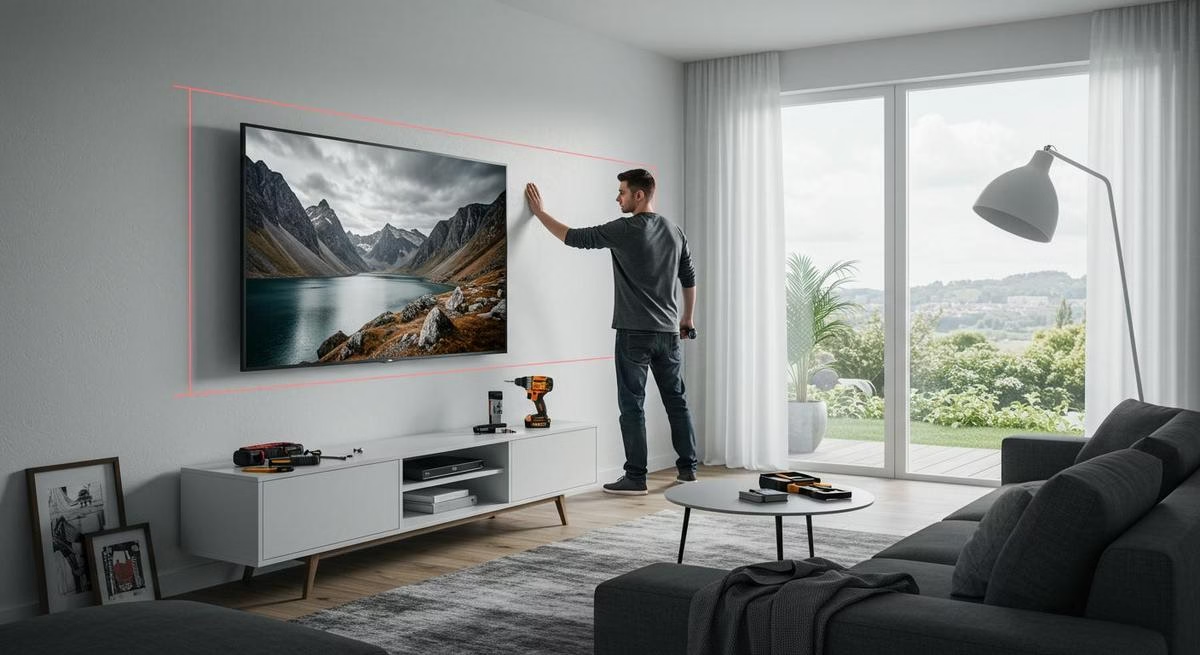
Mount the screen so its center lands at eye level when you’re seated, which for most people works out to about 42 inches off the floor. Measure from the floor to eye level in the actual seat you’ll use, not a guess, then set the screen’s center at that height.
Distance matters as much as height. Sit 1.5 to 2.5 times the screen size away, measured in inches: a 65-inch TV needs roughly 8 to 12 feet between the screen and the seating. Too close strains the eyes; too far and detail gets lost.
Center the TV on the seating, not on the wall. A wall’s midpoint and a couch’s midpoint rarely line up, and when they don’t, the couch should decide the spot. Check for glare from nearby windows before committing to a location, since light bouncing off the screen ruins the best seat in the room no matter how well the height is dialed in.
Skip the fireplace mount if the room allows it. It’s almost always too high for comfortable viewing, and the heat below can shorten the screen’s life.
What You Need Before You Lift the TV
Find the studs first. Run a stud finder across the wall, confirm the reading, and check it twice before marking anything. The studs carry the TV’s weight, so skipping this step is how mounts end up pulled out of drywall.
Beyond the stud finder, you need a drill, tape measure, pencil, level, and screwdriver. Match the mount to the TV’s VESA pattern (the bolt-hole spacing on the back of the screen, listed on the box or the manufacturer’s site) and stay under the mount’s rated weight limit. Full-motion mounts suit larger rooms where you want to angle the screen. Tilt mounts cut glare from overhead lighting. Fixed mounts sit flush and clean when the viewing angle never changes.
Mounting Without Damaging Rental or Drywall Walls
Wall type decides the hardware. Drywall needs studs, or a rated anchor like a toggle bolt when a stud isn’t where you need it. Brick and concrete need masonry bits and sleeve anchors, a different job entirely from drywall. Renters have real options too: no-drill stands, tension poles, and toggle bolts all mount a TV securely without permanent damage to the wall.
If kids are in the house, add anti-tip straps and consider a lower mount point. Once the mount is up, push on it firmly; it should give nothing. More holes doesn’t mean a stronger mount. Usually it means a weaker wall.
Hiding the Cables
Three approaches work: in-wall cable kits, wire raceways, or routing behind furniture. In-wall kits give the cleanest look, fishing cable from behind the TV down to an outlet, but they require a rated power bridge kit. Never run bare power cable inside a wall without one. It’s a fire code violation in most jurisdictions and not worth the risk.
Raceways are the better call for renters or anyone who doesn’t want to open the wall. They snap over the cable run and can be painted to match. If the TV sits above a console, route HDMI and coaxial cables behind it and add shelving below for a clean look. Cutting down to a single streaming device instead of three boxes reduces the cable count before you even start.
When to Call a Pro Instead
A 65-inch or larger TV is a two-person job at minimum, and most DIY failures trace back to a bent mount, a missed stud, or a cracked panel of drywall. Anything above a fireplace, or any wall that isn’t standard drywall over studs, is worth handing to someone with a laser level and the right anchors on hand. We handle wall mounts as part of larger video conferencing and display installs, since a display mounted wrong undermines everything else in the room built around it. For a full conference room build, from the display down to the network jack, see our conference room AV installation guide.
If you’d rather skip the ladder and the guesswork, book a free consultation and we’ll get it mounted right the first time.