AV & Technology
Commercial Digital Signage: Best Uses by Industry
Key Takeaways
- Digital signage earns its keep differently in retail, healthcare, corporate lobbies, events, and transportation; the use case shapes the hardware.
- Indoor panels, outdoor displays, menu boards, wayfinding kiosks, and interactive screens are built for different environments and aren’t interchangeable.
- Content has to change on a schedule or it turns into wallpaper. A screen showing last month’s promotion is worse than a printed sign.
- A working system needs screens, media players, mounts, and either cloud or on-premise software, not just a display bolted to a wall.
- Total cost includes installation and content management, not just the screen price. A cheap panel with no update plan gets expensive fast.
The best digital signage in a building is the kind nobody has to be told to look at. Picture a lobby screen that updates itself before a visitor walks in, a menu board that swaps to lunch pricing at 10:30am without anyone touching it, or a wayfinding kiosk that gets a patient to the right floor without a call to the front desk. That’s what commercial digital signage does well, and where it earns its keep varies more by industry than most buyers expect.
Where Digital Signage Earns Its Keep
Signage replaces static print with a screen that can change. A restaurant that used to reprint a menu board every season now edits a file and pushes it to every location at once. A retailer that used to ship posters to forty stores now schedules a promotion from one dashboard and ends it the day the sale ends, instead of eating the cost of a printed sign that outlived the deal. That flexibility, not the screen itself, is the real case for going digital.
The tradeoff is upkeep. A signage network only works if someone owns the content calendar. A screen running the same slide for six weeks reads as broken, even when the hardware is fine.
Types of Commercial Digital Signage
The main formats and where they fit:
- Indoor panels: lobbies, malls, waiting rooms, controlled lighting
- Outdoor displays: building faces, drive-throughs, weatherproofed and built for direct sun
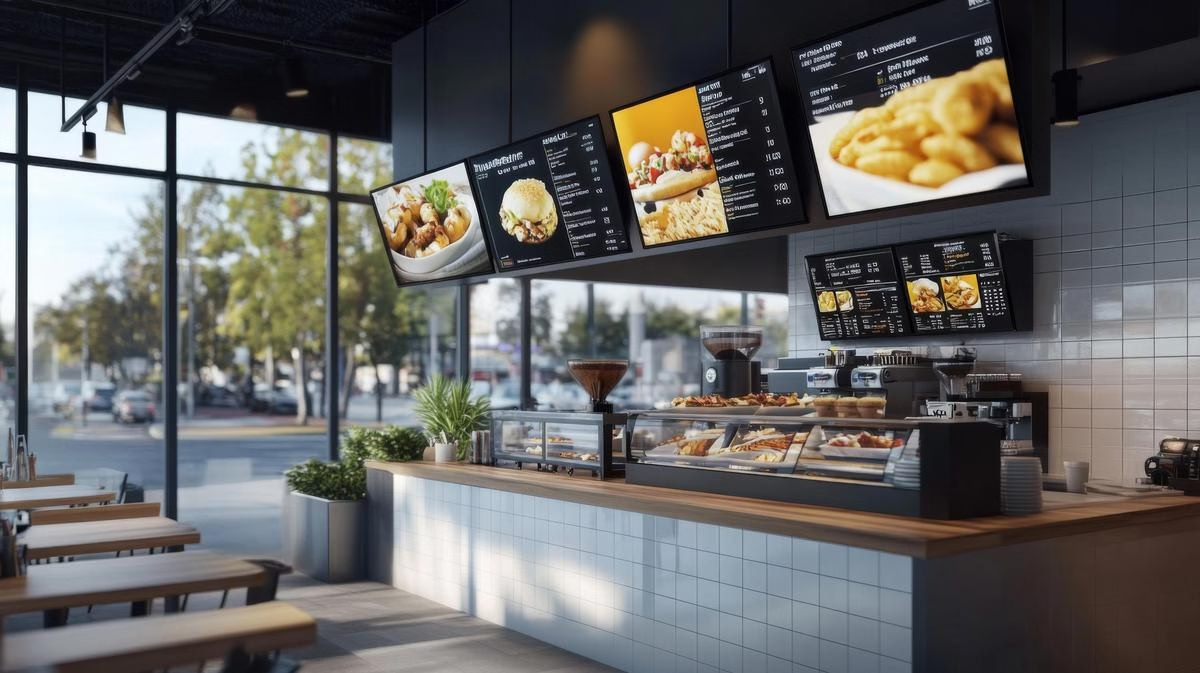
- Menu boards: restaurants and cafeterias, priced items swap without a reprint
- Wayfinding kiosks: hospitals, hotels, campuses, point-to-point directions
- Rental displays: trade shows and product launches, no hardware to buy
- Interactive touchscreens: retail and dealership floors, browse-and-select content
Picking the wrong format for the space is the most common mistake we see. An indoor panel mounted outdoors washes out in direct sun within a season. An interactive touchscreen in a low-traffic hallway sits untouched and stops earning its cost.
Which Industries Get the Most Out of It
Retail uses signage for promotions and shelf-edge pricing that can change same-day instead of waiting on a print run. Healthcare uses it for wayfinding and wait-time updates, which cuts down on front-desk questions. Corporate offices run lobby screens for visitor welcomes and internal displays for company updates, replacing the printed flyer on the breakroom wall. Event venues run schedules, speaker details, and sponsor recognition that update in real time as the day moves. Transportation hubs and hotels use it for gate changes, weather alerts, and local guides that would be stale the moment they were printed.
What’s Actually Inside a Signage System
A signage deployment is four things working together: screens, media players that push content to those screens, mounts rated for the weight and location, and software to manage it all. Cloud-based software lets you update content from anywhere with a connection. On-premise systems keep everything local, which some businesses prefer for security reasons. Neither is universally better; it depends on how many locations you’re running and who needs access to make changes.
Centralized management matters once you’re past a handful of screens. Managing content location by location doesn’t scale past a certain point, and it’s where most DIY signage rollouts start to break down.
Choosing a Digital Signage Provider
Price the total cost, not just the screen. Installation, mounting, content software licensing, and ongoing support all add up, and a subscription that looks cheap monthly can cost more over three years than a one-time platform. If you’re planning to add locations, ask whether the provider can add screens to the same dashboard without starting over. Energy use matters too: a certified, energy-efficient panel costs less to run over its life, which matters more the more screens you’re operating.
We design and install commercial digital signage as one system, screens, mounts, players, and software, so a client isn’t left stitching together three vendors after the fact. For offices specifically, that usually means pairing signage with the rest of the corporate AV in the building, since the same network and control setup often needs to talk to both.
FAQ
How much does commercial digital signage cost?
A single indoor panel with a media player and basic software typically starts in the low thousands installed. Multi-screen networks with mounts, cloud software, and content management scale up from there based on screen count and complexity.
Can digital signage run without an internet connection?
Yes. On-premise systems store content locally and don’t require a live connection to display scheduled content, though updating that content still needs one.
How often should signage content change?
Enough that a regular visitor notices something different. Weekly at minimum for promotional content; daily or same-day for pricing, menus, or event schedules.
If you’re weighing screens for a lobby, a restaurant, or a multi-location rollout, book a free consultation and we’ll walk through what the space actually needs.